Showing Posts From
Typing
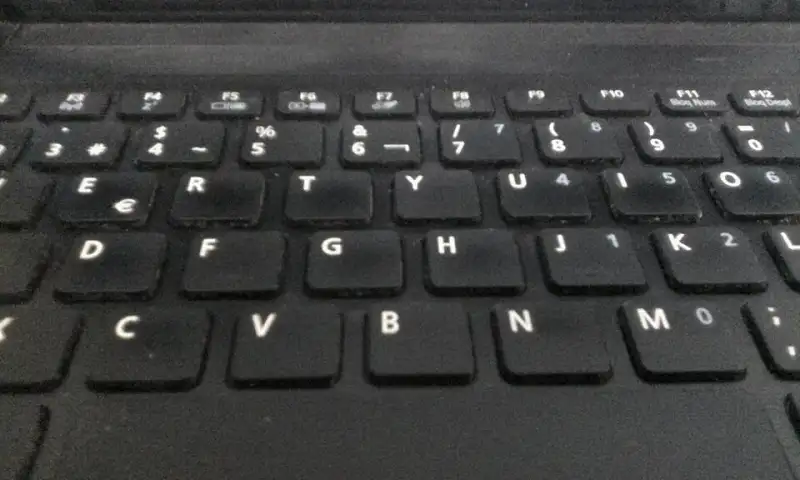

The Symphony of Keystrokes: The Ultimate Guide to Mechanical Keyboards There is a distinct, almost romantic rhythm to the sound of a well-tuned mechanical keyboard. It is a symphony of plastic, metal, and springs—a staccato drumbeat that accompanies the flow of thoughts onto a digital canvas. For decades, the ubiquitous, mushy rubber-dome keyboard dominated the desks of offices and homes around the world, treating typing as a purely utilitarian chore. But in recent years, a massive cultural and technological renaissance has taken place. The mechanical keyboard has returned from the annals of computing history to claim its rightful throne, captivating enthusiasts, gamers, and writers alike. #MechanicalKeyboards #TechRenaissance But what exactly is a mechanical keyboard? Why are people willing to spend hundreds, if not thousands, of dollars on a peripheral that comes free with most pre-built computers? This comprehensive guide will take you on a journey through the intricate, obsessive, and endlessly fascinating world of mechanical keyboards. Whether you are a competitive gamer looking for an edge, a programmer looking to save your fingers from fatigue, or simply an aesthetically minded desk-setup enthusiast, this guide will serve as your ultimate resource. #DeskSetup #PCGaming A Brief History: From Typewriters to Membranes and Back Again To appreciate the modern mechanical keyboard, one must briefly look back at the history of typing interfaces. The earliest typewriters were entirely mechanical marvels of levers, arms, and ink ribbons. They required immense physical force to operate but provided undeniably clear feedback. As the world transitioned to electronic computers in the mid-20th century, early terminals carried over this robust mechanical ethos. Keyboards in the 1970s and 1980s, such as the legendary IBM Model F and Model M, used incredibly complex and heavy physical switch mechanisms. They were built like tanks and cost a small fortune to manufacture. However, as the personal computing revolution exploded in the 1990s, manufacturers faced intense pressure to slash costs. The solution was the membrane and rubber-dome keyboard. By replacing dozens of individual mechanical switches with a single sheet of printed circuitry and a layer of molded rubber domes, manufacturers reduced the cost of a keyboard from a hundred dollars to mere pennies. The world embraced this cheaper alternative, and for two decades, the "mushy" typing experience became the global standard. The tactile magic of the early PC era was all but forgotten by the mainstream. #RetroTech #ComputingHistory The resurgence of mechanical keyboards began in the late 2000s and early 2010s, spearheaded almost entirely by the PC gaming community. Brands like Razer, SteelSeries, and Corsair realized that gamers needed precise, durable, and highly responsive inputs. They resurrected the Cherry MX mechanical switch—a design that had quietly survived in industrial point-of-sale systems—and wrapped it in aggressive, RGB-lit "gamer" aesthetics. Soon after, purists and typing enthusiasts splintered off from the gaming mainstream, creating the "Custom Mechanical Keyboard" community we know today. This subculture focused intensely on acoustics, premium materials, minimalist aesthetics, and the joy of DIY building. The Fundamentals: Anatomy of a Mechanical Switch To understand the appeal of mechanical keyboards, one must understand what happens beneath the keycaps. Most modern, budget-friendly keyboards use the aforementioned membrane technology. When you press a key, you collapse a rubber dome, which then pushes down on a membrane to complete an electrical circuit. This design has a fatal flaw: it offers no distinct tactile feedback until the key has "bottomed out" (hit the very bottom of the plastic housing). It feels like typing on a wet sponge. #KeyboardAnatomy #TechExplained A mechanical keyboard uses individual, self-contained physical switches beneath every single key. The classic MX-style mechanical switch is composed of four primary parts:The Housing: Divided into a top housing and a bottom housing, usually made of plastics like Nylon, Polycarbonate, or POM. The housing holds all the components together and significantly influences the switch's sound signature. The Stem: The moving plastic piece inside the switch. Its shape determines whether the switch is linear, tactile, or clicky. The top of the stem features a cross-shaped mount that holds the keycap. The Spring: A coiled metal spring that dictates the "weight" of the keystroke. Springs are measured in grams of force required to bottom out (e.g., a 62g spring vs. an 80g spring). The Contact Leaf: Two tiny pieces of metal inside the bottom housing. When the stem moves downward, it pushes the leaves together, completing the electrical circuit and registering the keystroke.This mechanism offers profound advantages. Mechanical switches are incredibly durable, often rated for 50 million to 100 million keystrokes. They offer absolute consistency, ensuring the keys feel identical year after year. Most importantly, because the actuation point (where the key registers) happens before the key bottoms out, typists can learn to strike keys with just enough force, floating over the keyboard and reducing long-term finger and wrist fatigue. #Ergonomics #TypingTips The Holy Trinity of Switches: Linear, Tactile, and Clicky If the mechanical keyboard is a musical instrument, the switches are its strings. They are the heart and soul of the typing experience. While there are hundreds of different boutique switches on the market today, almost all of them fall into three primary categories based on their feel and sound profile. #MechanicalSwitches Linear Switches Linear switches are the smoothest of the bunch. As the name implies, their travel path is a straight, uninterrupted line from top to bottom. There is no bump, no click, and no resistance other than the steady, linear pushback of the coil spring. Gamers heavily favor linear switches because the lack of a tactile bump allows for rapid, successive keystrokes without any physical friction interrupting the flow. Double-tapping keys in a fast-paced shooter feels effortless. The most famous example is the Cherry MX Red. However, the custom community has pushed the envelope far beyond basic Cherry switches. Enthusiasts now seek out boutique linear switches like the Gateron Ink Black V2, NovelKeys Cream, C³ Tangerines, and Alpaca switches. These switches are engineered with proprietary plastic blends to offer unprecedented, frictionless smoothness, especially when carefully lubricated by hand. #LinearSwitches #PCGamer Tactile Switches For software developers, copywriters, and anyone who types thousands of words a day, tactile switches are often the holy grail. Partway through the downward keypress, the stem of a tactile switch features a physical protrusion that brushes past the metal contact leaf. This creates a small, satisfying bump that you can feel in your fingertips, letting you know exactly when the keystroke has been registered. This feedback allows touch typists to stop pressing down the moment they feel the bump, preventing bottom-outs and increasing overall typing speed. The Cherry MX Brown is the quintessential entry-level tactile switch, often recommended to beginners as a middle-ground between gaming and typing. But for enthusiasts seeking a much more pronounced, sharp, and satisfying tactile event, switches like the Drop Holy Panda, Zealios V2, and Gazzew Boba U4T have become legendary gold standards. These "hyper-tactile" switches deliver a massive, rounded bump that makes typing feel incredibly rhythmic and purposeful. #TypingEnthusiast #TactileFeedback Clicky Switches Clicky switches take the tactile bump and add an intentional, audible, high-pitched "click" sound. This acoustic feedback is achieved either via a "click jacket" (a two-part plastic stem where the bottom sleeve slides down and violently snaps against the housing) or a "click bar" (a tiny metal bar stretched across the housing that gets pinged by the passing stem like a guitar string). Clicky switches offer the most sensory feedback of any switch type. You feel the sharp bump, and you hear the crisp click. The Cherry MX Blue is the most famous clicky switch, producing a nostalgic, typewriter-esque clatter. However, Kailh's Box Jade and Box Navy switches have revolutionized the clicky market with their thick click-bar mechanisms, producing a crisper, heavier, and far more satisfying acoustic signature. A crucial word of caution: clicky switches are notoriously loud. They are universally considered unacceptable for open-plan offices, quiet libraries, or shared living spaces. Bring them to work at your own peril. #ClickClack #OfficeEtiquette Beyond the Basics: Alternative Switch Technologies While the traditional MX-style mechanical switch dominates the current landscape, history and modern innovation have provided several fascinating alternative technologies that eschew traditional metal contact leaves. #VintageTech #KeyboardInnovation Buckling Springs (The IBM Legacy) No deep dive into mechanical keyboards is complete without paying respect to the grandfather of them all: the IBM Model M. Introduced in the 1980s, this massive, indestructible beige behemoth used patented "buckling spring" technology. Beneath each keycap sits a long coil spring. When pressed, the spring compresses until it literally buckles and folds outward, violently striking the side of the plastic barrel and completing a capacitive or membrane circuit below. This buckling action creates a massive, resonant metallic "PING" and a sharp, incredibly heavy tactile bump. It is a legendary, aggressive typing experience that many purists argue has never been surpassed by modern plastics. Topre (Electro-Capacitive) Hailing from Japan, Topre switches are a fascinating, highly premium hybrid. They utilize a rubber dome, but not in the cheap, mushy way budget keyboards do. Beneath a high-quality, perfectly tuned rubber dome sits a conical metal spring over a printed circuit board. As you press the key, the dome collapses (providing a beautifully rounded tactile bump), and the coil spring compresses. The PCB reads the change in capacitance generated by the spring's proximity and registers the keystroke well before the key bottoms out. Topre switches offer a deeply satisfying, thumping "thock" sound and a pillowy feel that is often described as typing on rain drops. Keyboards featuring Topre switches, such as the Happy Hacking Keyboard (HHKB) and Realforce lines, are extremely expensive but possess a fiercely loyal cult following. #Topre #HHKB Optical and Hall Effect Switches Modern competitive gaming has driven innovation toward hyper-fast response times and absolute durability. Optical switches eliminate metal contacts entirely, instead using a beam of infrared light inside the switch housing. When the stem moves down, it breaks (or allows) the light beam, instantly registering the key at the speed of light. Because there are no physical metal leaves to bounce against each other, optical switches don't require software "debouncing" algorithms, reducing input latency. Even more revolutionary are Hall Effect switches, like those utilized by Wooting and SteelSeries. These switches use magnets embedded in the stem and sensors on the PCB to measure the exact, analog distance the key has traveled in real-time. This allows users to dynamically set custom actuation points via software. You can set your WASD keys to an ultra-sensitive 0.1mm actuation for split-second strafing in a shooter, and your typing keys to a deeper 2.0mm actuation to prevent typos. It even enables true analog input, where pressing a key halfway makes a game character walk, and pressing it fully makes them sprint, much like the analog stick on a console controller. #GamingTech #HallEffect Form Factors: How Many Keys Do You Really Need? When you picture a keyboard, you likely visualize a standard "Full-Size" board with 104 or 108 keys. This includes the alphanumeric cluster, a function row (F1-F12), navigation keys (Home, End, Page Up), arrow keys, and a dedicated number pad on the far right. But in the mechanical keyboard world, bigger is rarely considered better. Removing rarely used keys frees up valuable desk real estate, allows you to bring your mouse closer to the center of your body for superior ergonomics, and vastly improves the aesthetic balance of a desk setup. #Ergonomics #Minimalism #DeskSetupTenkeyless (TKL / 80%): The most popular alternative layout. It simply chops off the number pad on the right side, leaving the arrow keys and navigation cluster perfectly intact. This is the ideal layout for gamers who need more sweeping space for their mouse but cannot live without dedicated arrow and function keys. 75%: A slightly more compact evolution of the TKL. It retains the function row and arrow keys but squishes everything together into a single, contiguous block without any gaps, saving an extra inch or two of width. 65%: The function row is completely removed, relegated to a secondary "layer" accessed by holding a "Fn" key (pressing Fn + 1 outputs F1). Dedicated arrow keys and a vertical column of essential navigation keys (like Delete and Page Up) remain. This is widely considered the perfect sweet spot for enthusiasts. 60%: The true minimalist standard. No function row, no number pad, no navigation cluster, and no dedicated arrow keys. Everything outside the alphanumeric cluster and modifiers is accessed via layers. It is highly portable, perfectly symmetrical, and incredibly popular among hardcore custom builders. 40% and Ortholinear: The extreme, uncompromising end of the spectrum. These tiny keyboards strip away the number row entirely, leaving only letters and a few modifiers. Typists use complex "chords" and multiple deeply programmed layers to type numbers and symbols. Furthermore, many of these boards are "Ortholinear," meaning the keys are aligned in a perfect, un-staggered grid. Proponents argue this vertical alignment is vastly superior for finger ergonomics, as it mimics the natural curling motion of the human hand rather than the slanted stagger inherited from mechanical typewriters. #Ortholinear #CustomLayoutsKeycaps: The Crown Jewels of Customization A keyboard's switches dictate how it feels, but its keycaps dictate how it looks and, to a surprisingly massive extent, how it sounds. Upgrading keycaps is the easiest and most profound visual transformation you can apply to a keyboard. #Keycaps #CustomPC The Plastics: ABS, PBT, and Beyond Keycaps are almost exclusively injection-molded from two types of plastic: Acrylonitrile Butadiene Styrene (ABS) and Polybutylene Terephthalate (PBT). ABS is the standard plastic used on almost all mass-market consumer keyboards. It is relatively cheap, easy to mold perfectly, and allows for extremely vibrant, saturated colors. However, ABS has a significant downside for typists: it degrades and wears quickly. Over time, the mild friction and natural oils from your fingertips polish the surface of the plastic, causing the keycaps to develop an unappealing, greasy-looking "shine." PBT is the discerning enthusiast's plastic of choice. It is a denser, vastly harder plastic that strongly resists finger oils and almost never develops a shine, even after years of heavy use. PBT keycaps typically feature a slightly textured, matte, sandy feel and produce a deeper, lower-pitched, "bassier" sound when struck. While PBT historically struggled to hold bright colors without warping during manufacturing, modern techniques have largely closed the color-vibrancy gap. In recent years, experimental materials have entered the fray. POM (Polyoxymethylene) keycaps offer a slick, buttery feel, while boutique artisan manufacturers have even produced entire keycap sets cast out of cold, heavy Ceramic, offering an acoustic signature unlike anything else on earth. The Legends: Double-Shot vs. Dye-Sublimation How the letters and symbols (the "legends") are applied to the keycaps is just as important as the material. Cheap, mass-market keyboards use pad printing or laser etching. These methods essentially paint the letters onto the surface, meaning they will inevitably chip, fade, and wear off entirely with heavy use, leaving you with blank plastic nubs. High-end enthusiast keycaps utilize two premium manufacturing methods to ensure the legends last forever. Double-shot injection molding is an incredibly complex process where the inner legend is molded out of one color of plastic, and then the outer shell of the keycap is molded entirely around it in a second color. Because the legend is a physical, three-dimensional piece of plastic running all the way through the cap, it is literally impossible for it to ever wear away. Dye-sublimation (Dye-Sub) is a process used primarily on PBT keycaps where intense heat is used to vaporize ink, sinking it deep into the molecular structure of the plastic itself, staining it permanently rather than resting on top. Both methods ensure that your keyboard will look pristine for decades to come. #Design #Engineering The Profiles: Sculpting the Typing Experience Keycaps are not perfectly flat cubes. They are sculpted into different vertical "profiles" designed to cradle your fingers and reduce reaching. The OEM profile is standard on most pre-built boards, featuring a medium height and a cylindrical top row angled toward the user. The legendary "Cherry" profile is similar but slightly lower in height, and is universally beloved by enthusiasts for its supreme comfort and fast typing angle. For those who love vintage aesthetics, high-profile sets like SA (Spherical All) and MT3 dominate the market. These towering, retro-looking keycaps feature deep, bowl-like spherical indents on the top that violently hug your fingertips. Because of the massive amount of empty plastic space inside them, high-profile caps act like acoustic echo chambers, producing a massive, cavernous, booming "thock" sound. Conversely, flat, "uniform" profiles like DSA and XDA feature all rows at the exact same height and angle. While some find them less ergonomic, their uniformity makes them incredibly versatile for mixing and matching keycaps across bizarre custom layouts like 40% and split ergonomic boards. Case Materials, Plates, and Mounting Styles Once you step past entry-level keyboards, the chassis (or case) itself becomes a primary focus of engineering. Budget keyboards use cheap, hollow, injection-molded ABS plastic cases that rattle and amplify high-pitched pinging noises. Premium custom keyboards are precision CNC-milled from massive, solid blocks of aircraft-grade 6063 Aluminum, Polycarbonate (for a frosted, translucent look that diffuses RGB lighting beautifully), or even solid brass and exotic woods. A heavy, dense case absorbs harsh vibrations and anchors the keyboard to the desk, creating a premium, luxurious heft. Inside the case sits the "Plate," the rigid sheet that holds the switches in place above the PCB. The material of the plate drastically changes the typing feel. Aluminum is the standard, offering a stiff, bright typing experience. Brass plates are incredibly rigid and produce a high-pitched, musical bottom-out sound. Polycarbonate and POM plates are soft and flexible, offering a bouncy, forgiving typing feel that reduces finger fatigue. FR4 (the same fiberglass material used to make PCBs) offers a highly desirable middle-ground: softer than aluminum, but crisper than polycarbonate. How the plate and PCB are mounted to the external case—the "Mounting Style"—is the deepest rabbit hole in modern keyboard design. Tray Mount: The oldest and cheapest method. The PCB is screwed directly into standoffs at the bottom of the case. This creates an uneven, stiff typing feel, as keys near the screws are rock hard, while keys in the middle flex. Top Mount: The plate features tabs that are screwed into the top frame of the case. This offers a much more consistent, even typing feel and a clean sound profile. Gasket Mount: The current industry obsession. The plate is sandwiched between the top and bottom case using thick strips of poron foam, silicone, or rubber gaskets. The plate and PCB never touch the hard metal of the case directly. This isolates vibrations and creates a remarkably soft, bouncy, and acoustically muted typing experience that is highly sought after. #KeyboardBuild #DIYThe Art of Tuning: Lubing, Filming, and Modding For the true mechanical keyboard enthusiast, simply buying expensive parts and snapping them together is not enough. A keyboard is not finished until it has been meticulously tuned. This is where the hobby transcends mere consumerism and becomes an exercise in obsessive craftsmanship. #Modding #DIYProject The single most impactful modification one can perform is switch lubrication. Using tiny paintbrushes and highly specialized, expensive industrial lubricants like Krytox 205g0 or TriboSys 3203, enthusiasts painstakingly open each individual switch and coat the internal friction points—the stem rails, the spring, and the bottom housing. This intensely tedious process, which can easily take three to four hours for a single keyboard, completely transforms the switch. It eliminates the scratchy acoustic sound of plastic rubbing against plastic, entirely kills metallic spring "ping," and makes the keystroke feel as smooth as gliding on warm glass. Many builders also add "Switch Films"—paper-thin gaskets placed between the top and bottom housing of the switch—to eliminate any microscopic wobble and tighten the sound profile. Stabilizers—the wire mechanisms that keep long keys like the Spacebar, Shift, and Enter key from wobbling left to right—also require immense attention. An un-tuned spacebar produces a horrific, high-pitched rattling noise that can ruin the acoustic profile of an entire $500 keyboard. Enthusiasts will "clip" the plastic feet off the stabilizer stems to make them strike the PCB perfectly flat. They will heavily lubricate the metal wire with thick dielectric grease (or specialized Krytox XHT-BDZ) to eliminate metal-on-plastic rattle. They may even perform the "Holee Mod"—inserting tiny, microscopic strips of medical fabric tape inside the stabilizer stem to completely cushion the wire. Furthermore, acoustic dampening has become an esoteric art form. Builders pour liquid silicone into the bottom of their cases to add weight and kill hollowness. They carefully cut and layer dense neoprene, Poron foam, or even PE foam (the packing material) directly under the switches to manipulate the acoustics. A popular and highly accessible trick is the "Tape Mod," which involves covering the entire back of the PCB in layers of blue painter's tape. The tape acts as an acoustic low-pass filter, absorbing high-pitched pings and accentuating a deep, creamy, "marbly" sound signature that has taken platforms like YouTube and TikTok by storm. #SoundDesign #Thock #Marbly The Custom Community and the Group Buy Ecosystem If you want to enter the highest echelons of this hobby, you cannot simply log onto Amazon and add a premium custom keyboard to your digital cart. The high-end, boutique market operates almost entirely on a crowdfunding model known as the "Group Buy." #Community #GroupBuy Because boutique keyboard cases and custom keycap sets require massive upfront manufacturing and tooling costs, independent designers must crowdsource the funding. A designer will create highly detailed 3D renders of a keyboard or keycap set and run an "Interest Check" (IC) on community forums like Geekhack, KeebTalk, or the massive /r/MechanicalKeyboards subreddit. If there is enough community interest and feedback, the Group Buy officially opens for a window of a few weeks, allowing people to pre-order. Once the Group Buy closes, the collected funds are sent to overseas manufacturers. Because these are highly complex, low-volume manufacturing runs requiring strict color-matching and quality control, the wait times are substantial. Waiting six to twelve months for a milled aluminum keyboard case, or up to two years for a highly sought-after GMK double-shot ABS keycap set, is considered entirely normal in this hobby. It requires immense patience and trust, but the ultimate reward is a piece of functional, bespoke art that is entirely unique, highly personalized, and built to incredibly exacting standards that mass-market brands simply cannot replicate. The Artisan Touch No custom board is truly finished without the addition of an artisan keycap. These are singular, custom-made keycaps—usually placed on the Escape key or in the top right corner of the board—that serve as a focal point of intense artistic expression. Hand-sculpted from clay and painstakingly cast in multicolored resin, or intricately CNC-machined from exotic metals like titanium and copper, artisan keycaps are the ultimate flex in the keyboard world. They can resemble anything from menacing demonic skulls and cute animals, to incredibly detailed miniature dioramas containing tiny snow-capped mountains or koi ponds suspended in clear, polished resin. They are highly collectible, strictly limited in production, and often sold exclusively via random-draw "raffle" sales. A highly coveted artisan keycap from makers like Keyforge, Artkey, or GAF can easily fetch hundreds, or even thousands, of dollars on the aftermarket. #ArtisanKeycaps #FunctionalArt Conclusion: A Tactile Revelation Diving headfirst into the world of mechanical keyboards can be overwhelming. The endless sea of acronyms, the esoteric switch names, the fierce debates over mounting styles, and the agonizing wait times of group buys can seem entirely absurd to an outsider. Why on earth would anyone put so much effort, time, and money into a device whose sole, basic purpose is to input text into a computer? The answer is surprisingly simple: because we touch our keyboards more than almost any other object in our modern lives. For software developers, writers, data entry clerks, and dedicated gamers, the keyboard is the primary interface between the physical human mind and the digital realm. It is the tool through which we work, play, create, and communicate. To upgrade from a cheap, mushy, unsatisfying rubber dome to a bespoke, heavy, perfectly tuned mechanical keyboard is to profoundly elevate the mundane. It transforms every email you send, every line of code you compile, and every late-night gaming session from a repetitive chore into a deeply satisfying, tactile, and auditory experience. A custom mechanical keyboard is not just a computer peripheral; it is an instrument. It is a testament to the belief that the tools we use every single day should be beautiful, durable, and an absolute joy to interact with. So take the plunge, do your research, find your perfect switch, and discover the symphony of keystrokes waiting at your fingertips. Your hands will thank you. #KeyboardBuild #TechEnthusiast #MechanicalKeyboards #MechanicalKeyboards #Tech #Typing #Gaming Related InsightsThe Robotics & Autonomous Systems Engineer: Architecting the Future of Intelligent Machines Fusing the Senses: The Integration of LiDAR and Computer Vision in Level 4 Autonomy Digital Twins in Precision Medicine: Real-Time Health Monitoring and Adaptive Therapy{ "@context": "https://schema.org", "@type": "FAQPage", "mainEntity": [ { "@type": "Question", "name": "What is the main focus of The Symphony of Keystrokes: The Ultimate Guide to Mechanical Keyboards?", "acceptedAnswer": { "@type": "Answer", "text": "Discover the captivating world of mechanical keyboards. From switch types and keycap profiles to the intricate art of custom building and tuning, explore why the click-clack revolution is here to stay." } }, { "@type": "Question", "name": "Who authored the comprehensive guide on The Symphony of Keystrokes: The Ultimate Guide to Mechanical Keyboards?", "acceptedAnswer": { "@type": "Answer", "text": "This detailed article and its insights were carefully researched and authored by John Doe." } }, { "@type": "Question", "name": "Where can I find more related content about Technology?", "acceptedAnswer": { "@type": "Answer", "text": "You can explore more articles, detailed reviews, and similar insights by browsing the Related Insights section at the bottom of this article or visiting our dedicated Technology category page." } } ] }